The bag got
caught.
You saw the candle rip. You blinked. It was gone. ClipCatch keeps the last 60 seconds of your screen waiting in RAM — hit the hotkey after the move and the clip is on disk before you say "bro tell me you got that." Or don't hit anything — point Area Monitor at your newest candle and ClipCatch starts and stops on its own the moment the price moves.
Three tabs. Built for one thing.
Recorder, Clips, Journal. No menus to dig through, no project files, no exports. Hit the hotkey, the clip is on disk.
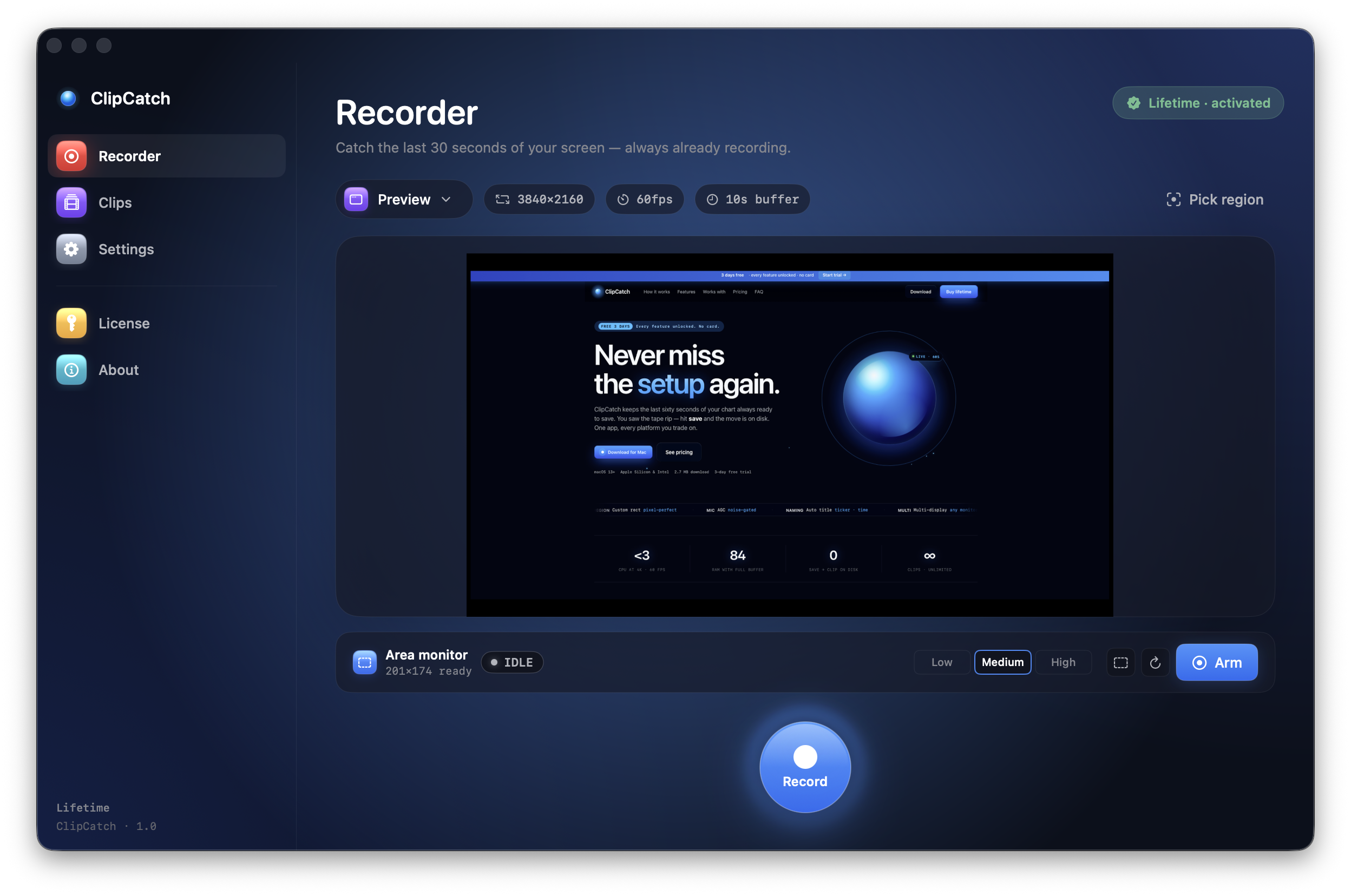
Three things. That's the app.
No tutorials, no AI tour, no email walls. Open it, point at your chart, get back to trading.
It's quietly recording your screen — into RAM.
Sixty seconds (configurable up to 3 min) live in memory. Nothing on disk. You forget it's there. Your SSD stays clean.
It saves itself.
Drag a box around your latest candle. The instant the pixels inside change, ClipCatch starts recording — and stops a few seconds after they settle. You don't touch the keyboard. You don't see a button. You just trade.
Clip on disk. Named with the ticker.
MP4, H.264 or ProRes, ready for Notion, Discord, your eval firm, your group chat. Keep trading — you didn't miss it.
You press save
after the move.
OBS makes you predict the future. ClipCatch lets you record the past. The buffer rolls in memory — disk only sees the bytes you actually want.
- 0 bytes on disk until you hit save.
- Hardware-accel encode — VideoToolbox / NVENC.
- Area Monitor auto-saves when your latest bar moves > threshold.
- 720p · 1080p · 1440p · 4K · Native — pick once, forget.
You stop pressing buttons.
It records itself.
Drag a rectangle around your latest candle once. From that point on ClipCatch starts the recording the instant the pixels move, stops it when they settle, and writes the 60 seconds leading up to it to disk. You watch the chart. The app handles the keyboard.
- Auto-starts on motion, auto-stops on calm — zero hotkeys.
- Three sensitivity levels — quiet RTH to overnight crypto.
- Works against any platform's UI — Tradovate, NinjaTrader, TradingView, MotiveWave.
- Run two area monitors on two charts — one buffer engine, both auto-saving.
The clip of what
you just watched.
You press the button after the candle prints. ClipCatch reaches into RAM, writes the previous minute to disk, keeps recording. Save 30 clips a session without thinking.
- Market rips through level — 10:42.08.
- You hit ⌘⇧S — 10:42.17.
- Clip writes to ~/Movies · still recording.
Three workflows.
One keyboard shortcut away.
Trade review, on the bar.
A 45-second clip of the actual bar-by-bar print is worth ten paragraphs in your journal. Drop it in Notion or Edgewonk and move on.
Eval-ready MP4 in one hotkey.
Funded eval guys finally stop saying "screenshot please." Topstep, Apex, TakeProfit, MFFU, ProjectX — all accept the MP4 with timestamp overlay.
Proof when the fill was wrong.
When your DOM shows one thing and your broker says another, a clip of the ladder at the exact millisecond is not a debate.
Your platform.
Your charts. Your way.
ClipCatch records what's on screen — so it works with every trading platform, period. The list isn't exhaustive, just our beta testers' top picks.
The tape doesn't lie.
Neither do they.
"Hit the hotkey 3 seconds after a 12-tick fade. Caught the whole reversal. My funded eval guys finally stopped saying 'screenshot please.'"
"OBS used to fan my MacBook on a Tuesday. ClipCatch sits at 1% CPU and just exists. I forget it's running until I save the clip."
"My trade journal used to be paragraphs. Now it's clips. Way better. I actually re-watch my own trades, which is a feature I didn't know I wanted."
"The area monitor caught a midnight wick I would've slept through. Sent it to my Discord squad before they even saw the print. Folks went insane."
"$99 once. No subscription. No 'Pro tier with the actual feature you need.' Refreshing. Bought lifetime in 4 minutes."
"Used it to dispute a flash-fill with my broker. Showed the ladder + chart at the millisecond. Got the fill reversed. App paid for itself in one afternoon."
Two prices. Pick one.
Or pay nothing for 3 days.
The free trial is the full app. No watermark, no feature gates, no auto-renew traps.
Both plans · 2 Macs per licence · Secure checkout via Polar
Real ones. Real answers.
How is this different from OBS, QuickTime, or [insert recorder]?
Most recorders need you to start recording before the moment. ClipCatch is always rolling into RAM — when you hit save, the previous 60 seconds get written. You record the past, not the future. That's the entire pitch.
Wait — it really starts and stops the recording on its own?
Yes. Drag a rectangle around your latest candle (or your P&L tile, or your fill-confirm popup, anything that moves when something happens). The instant the pixels inside change more than your threshold, ClipCatch starts the save. When they go quiet for a few seconds it stops. You don't press anything. The buffer is always rolling, the auto-save is always armed — the app just shuts up and watches the screen for you.
Will it slow down my charting platform?
Under 3% CPU on Apple Silicon at 4K · 60fps, under 6% on Windows. Hardware-accelerated encode (VideoToolbox / NVENC) does the heavy lifting. Run it next to TradingView, Sierra, NinjaTrader — you won't notice it.
Does it work for my funded eval?
Yes. Export as MP4 with optional timestamp overlay. Has been used as evidence on every major eval firm we've tested — Topstep, Apex, TakeProfit, MFFU, ProjectX. Talk to your firm if you need a specific format.
What about my data — does anything upload?
Zero telemetry, zero uploads, zero accounts. Clips live in your local Movies folder. We don't have a server. We don't run analytics. The license check is a single ping at install. That's it.
Why pay for this when free recorders exist?
Free recorders that match this exist… kind of. Most are bloated, half abandoned, fan-up your laptop, want your email, or pivot to "AI". $99.99 lifetime is a one-time cost for software made by people who actually use it. Trial is 3 days, full app — try before you pay.
Can I record two charts at once?
Yes. Multiple area monitors, independent regions, one shared buffer engine to keep CPU low. Multi-monitor aware on both macOS and Windows.
What's the catch with the 3-day trial?
No catch. No card upfront. Every feature unlocked. After 3 days the app keeps your settings but stops recording until you start a plan. You can grab a clip and dip — we'd rather you actually decide than auto-charge you.
How do I cancel my subscription?
Open the email Polar sent you at checkout — there's a "Manage subscription" link that takes you straight to your customer portal. From there, hit Cancel subscription and you're done. Cancellation stops future renewals immediately; you keep access until the end of the period you've already paid for. Lost the email? Email support@clipcatch.app with the address you used at checkout and we'll send the link.